Weather Today: Live Radar
AMOBEAR TECHNOLOGY GROUPWeather
4.481.00 Reviews
- Version
- 1.6.1
- Installs
- 100.00K
- Age Rating
- Everyone
Screenshots
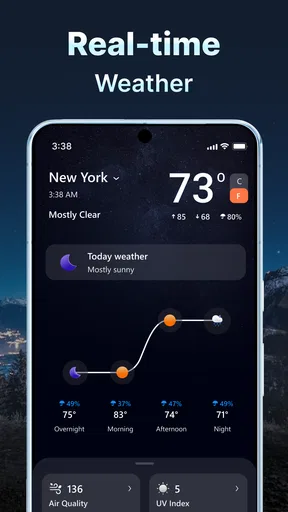
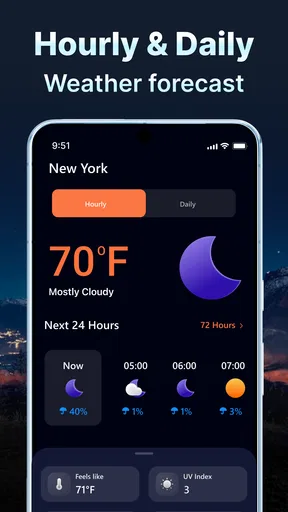
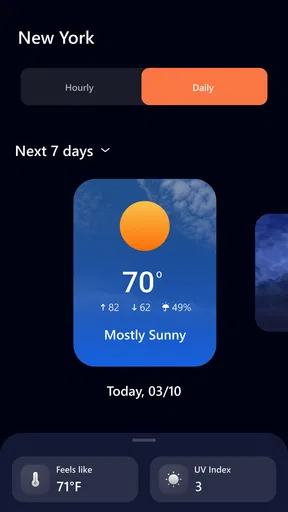
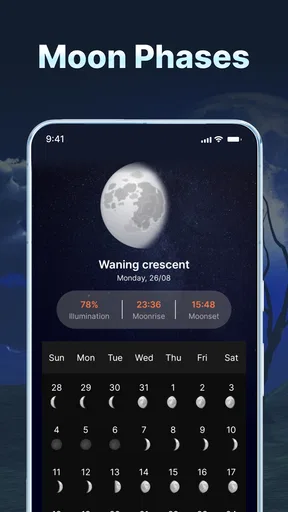
Our Review of Weather Today: Live Radar
 Analysis by Appyee
I use weather apps for very ordinary decisions: whether to walk instead of drive, when to leave for an appointment, and whether a jacket will be enough for the evening. Weather Today: Live Radar is built for that kind of quick check. It is a free weather app from AMOBEAR TECHNOLOGY GROUP, aimed at people who want current conditions, hourly planning, daily outlooks, and radar information in one place rather than jumping between several tools.
My first impression is that it tries to balance speed with detail. You can open it for a fast look at today, but the hourly and daily views give you enough context to make a better decision than simply reading the current temperature. The app is available for Everyone and runs on Android 7.0 or later, which makes it accessible even on older phones. It has reached over 100 thousand installs and holds a 4.4 average from around 1.9 thousand ratings, so it has already found a modest but real audience.
The most useful way to think about this app is as a practical planning tool, not a replacement for specialist storm-monitoring software. That distinction matters. For commuting, errands, school runs, travel preparation, and general daily awareness, its combination of radar, hourly information, and daily forecasting is sensible. If you need highly technical meteorological analysis or a dedicated emergency-alert system, you may still prefer a more specialized alternative.
How the current version feels in everyday use
The current release is version 1.6.1, and the app feels like a focused weather product rather than an overloaded dashboard. The store summary emphasizes real-time updates alongside radar, hourly, and daily forecasts. In practice, that combination gives the app three different jobs: showing what is happening now, helping you choose the best time during the day, and giving you a broader sense of what is coming next.
I find the hourly view especially important because a daily forecast can hide the timing of a weather change. “Rain today” is not very helpful if you need to know whether the rain is likely before work or after dinner. Looking across the day lets you plan around changing conditions instead of treating the entire day as one block. That is a small difference in presentation, but it changes how useful a forecast becomes.
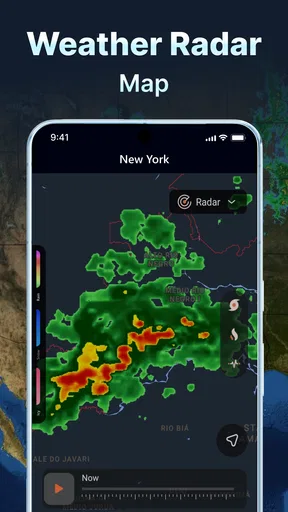
The radar component adds another layer. A forecast describes expected conditions, while radar helps you understand what may be moving toward your area. I would use it before leaving for a walk or outdoor appointment, particularly when the sky looks uncertain. The practical benefit is not that radar removes all uncertainty; it gives you a more immediate picture than a static daily icon.
The app is also easy to position for casual users because it is free to download. There are in-app purchases ranging from $0.99 to $349.99 per item, so I would pay attention to any purchase screen before confirming anything. The free entry point makes it easy to test the basic experience, but users who dislike optional purchase prompts should approach the app with that expectation rather than assuming every part of the experience is permanently free.
A realistic morning routine
Imagine a weekday morning with a short commute and an outdoor lunch planned. I would first check the current conditions to decide what to wear, then scan the hourly forecast for the commute and lunch period. If the timing looks uncertain, I would open the radar before leaving. That workflow is more useful than checking only the temperature because it combines immediate conditions, timing, and movement in the weather.
For a parent, the same process can help with school drop-off and pickup. A forecast that looks comfortable at breakfast may not remain comfortable by the afternoon. The daily view gives the broad outline, while the hourly view helps with specific activities. I would still treat the result as guidance, especially when conditions are changing quickly, but the app makes the check fast enough to become a habit.
Where the radar earns its place
Many weather apps include radar as a secondary screen that users rarely open. Here, radar is part of the product’s identity, which makes it more likely to become part of a normal routine. I would not stare at it continuously or use it to make high-risk decisions, but it is valuable when a short shower could affect a plan.
A useful habit is to compare the radar view with the hourly forecast rather than relying on either one alone. The radar can show nearby movement, while the hourly forecast provides a broader prediction. When they point in the same direction, confidence improves. When they appear inconsistent, that is a signal to leave more flexibility in your schedule instead of assuming one screen is perfectly precise.
This is one of the app’s less obvious strengths: it encourages a layered reading of weather. Current conditions answer “what is happening now,” hourly information answers “when might it change,” and radar answers “what seems to be moving nearby.” Used together, those views are more informative than a single temperature number.
What version 1.6.1 means for the product’s evolution
Because the app is still a relatively young product, its version history matters more than it would for a long-established weather service. It was released on May 26, 2024, and the current version is 1.6.1. That tells me the developer has continued moving the app forward after its initial launch, but I would separate that confirmed progression from assumptions about what future updates may bring.
The clearest current direction is the effort to keep the experience centered on live weather information, radar, and forecast planning. Rather than shifting into unrelated lifestyle features, the product remains recognizable as a weather-first tool. For an existing user, that focus is reassuring: the main reason to open it is still easy to understand.
At the same time, a version number alone does not tell me how deep each update was. I would not infer a particular redesign, accuracy improvement, alert system, or data-source change without seeing it clearly in the app or in an update note. That is important for anyone deciding whether to switch from a familiar weather app. The current release shows ongoing development, but it is not a guarantee that every desired feature has arrived.
For new users, the practical takeaway is simple: install it and judge the current interface rather than choosing it solely because it has received updates. For existing users, the sensible approach is to look for changes in the screens you actually use. If you mainly check hourly forecasts, improvements elsewhere may not affect your routine. If radar is your reason for keeping the app, that is the area worth evaluating after an update.
How the release affects existing users
Existing users benefit from the fact that the app has moved beyond its initial release and now presents itself as a more established product. A continuing release cycle can improve consistency over time, even when the changes are not dramatic. I would still keep expectations realistic: a weather app earns trust through repeated daily use, not through a version label alone.
One trade-off is that ongoing development can bring interface changes. A screen that feels familiar today may be rearranged in a later update. That can be frustrating if you only want a one-second glance at the forecast. My advice is to keep your routine flexible: learn where the current conditions, hourly forecast, daily forecast, and radar are located, but do not assume every future release will preserve the exact layout.
The app’s broad device compatibility is another practical advantage for existing users. Support for Android 7.0 or later means people with older devices are not automatically excluded. Older hardware can still influence how comfortable the experience feels, though, especially when switching between forecast sections or viewing map-based information. I would test it on your own phone rather than assuming that compatibility means identical performance on every device.
Its Everyone rating also makes it suitable for a shared household device. A teenager checking the forecast before school, an older relative planning a walk, and a parent organizing errands can all understand the basic purpose without needing specialist knowledge. That broad audience is one reason the straightforward weather layout works better than a technical interface for everyday use.
Where the app still leaves room for improvement
The biggest limitation is that a compact weather app cannot satisfy every kind of weather user equally well. Someone who wants detailed atmospheric maps, long-range climate context, or professional aviation information will probably find the experience too simple. I would choose a specialist service for serious outdoor risk assessment, especially when the consequences of a wrong decision are significant.
Radar also needs to be interpreted carefully. It is useful for seeing nearby precipitation movement, but it should not be treated as a promise about exactly when rain will begin at your front door. Local terrain, fast-forming storms, and rapidly changing conditions can make any short-term view imperfect. The app is best used to improve awareness and timing, not to create false certainty.
Another gap is the unavoidable tension between a free app and optional purchases. The free download lowers the barrier to trying it, but the listed purchase range means some users may encounter paid options that are not relevant to them. I would recommend checking which parts of the experience are available without spending money before building the app into your daily routine. If you want a completely minimal weather tool with no interest in extras, your phone’s built-in weather option may feel simpler.
I also would not install this app solely for emergency protection. A general forecast and radar view can support preparation, but urgent warnings should come from the official alert channels relevant to your location. Weather Today: Live Radar can sit alongside those tools; it should not be the only source you trust during dangerous conditions.
Who should use it, and who should skip it
I would recommend it to someone who wants more than a basic temperature widget but less than a professional meteorology platform. It suits commuters, walkers, travelers, parents, students, and anyone whose plans depend on whether weather will change during the day. The hourly forecast is particularly useful for people who can shift an activity by an hour, while radar helps when precipitation is already nearby.
I would be more cautious about recommending it to users who need guaranteed ad-free simplicity, highly advanced weather layers, or a long history of specialized forecasting tools. If you already rely on a trusted local weather service with alerts and detailed regional information, switching may not offer enough benefit. The app makes the most sense when you want a clean second opinion or a convenient all-in-one view.
It is also a reasonable choice for older Android phones because the minimum operating-system requirement is not demanding. Still, I would avoid keeping several weather apps active if your goal is simplicity. Choose one primary app, compare it with an official source when conditions matter, and use the radar only when it answers a real planning question.
Small habits that make the app more useful
My first tip is to check the hourly forecast before making decisions based on the daily summary. The daily view is good for orientation, but it can conceal the exact window you care about. This is especially important for exercise, outdoor meals, short trips, and school activities.
My second tip is to use radar as a confirmation step shortly before leaving, not as a replacement for the forecast. If the hourly outlook suggests a dry period and the radar shows a band approaching, you can decide whether to leave earlier or carry protection. That workflow turns the app into a planning aid rather than a screen you consult passively.
My third tip is to compare the app’s information with what you can observe locally. A weather app may show a broad condition for your area, while your street may be affected by shade, wind, hills, or a nearby storm cell. If the app and your surroundings disagree, allow extra time and avoid making a rigid plan around a single reading.
Finally, I would review purchase prompts carefully. Since the app is free but includes optional items, do not tap through a purchase screen simply to dismiss it. That is basic advice, but it is particularly relevant for families sharing a device or for anyone who wants to keep weather checking entirely cost-free.
My recommendation after using it
Weather Today: Live Radar has a clear purpose and mostly sticks to it. The combination of current conditions, hourly planning, daily forecasting, and radar gives me enough information for ordinary decisions without forcing me into a technical dashboard. I like that I can move from a quick glance to a more informed check when the weather is uncertain.
The app is not perfect for every situation. Its radar should be read as helpful guidance rather than exact local certainty, and users should consider the presence of in-app purchases before settling into the experience. People who need specialist alerts or advanced meteorological detail may be happier with a dedicated alternative. Those are meaningful limitations, but they do not undermine the app’s everyday usefulness.
What I would watch next is how AMOBEAR TECHNOLOGY GROUP continues refining the product after version 1.6.1. The important signs will be practical ones: whether forecast screens remain quick to read, whether radar stays easy to interpret, and whether new additions improve planning without making the app feel crowded. I would also look for clearer value around any paid options, because that will influence whether the free version feels complete.
For now, I see it as a sensible free weather companion for Android users who want a more capable view than a basic widget provides. Weather Today: Live Radar is at its best when I use it in layers: current conditions for the immediate decision, hourly forecasts for timing, daily forecasts for broader planning, and radar for a final look before heading out. If that matches the way you check weather, it is worth trying; if you need specialist warnings or deep technical detail, keep looking for a more focused tool.
Verdict
Strengths of Weather Today: Live Radar
- Clear hourly and daily forecasts with easy-to-read weather details.
- Live radar helps track rain and storms in your area.
- Useful alerts can warn you about severe weather conditions.
- Supports location-based forecasts for trips and changing destinations.
- Clean layout makes key temperature and weather data quick to find.
Limitations of Weather Today: Live Radar
- Some advanced radar and forecast tools may require a subscription.
- Advertising can make the free version feel less streamlined.
- Forecast accuracy may vary in rural or poorly covered locations.
- Frequent location access can affect battery life on some devices.
- The app may request permissions that privacy-conscious users dislike.
Other Releases by AMOBEAR TECHNOLOGY GROUP
View All
Future Self™: AI Face Aging
Art & Design4.1

HomeMagic: AI Interior Design
Art & Design2.9

Genera: AI Video Generator
Art & Design4.1
Similar Picks in This Category
View All
Weather - By Xiaomi
Xiaomi Inc.4.1

Weather & Radar Forecast
WetterOnline4.8

Weather
OneLouder Apps4.6

AccuWeather: Weather Radar
AccuWeather3.6

The Weather Channel - Radar
The Weather Channel4.6

1Weather Forecasts & Radar
OneLouder Apps4.3
Frequently Asked Questions
What is Weather Today: Live Radar used for?
Weather Today: Live Radar is designed to provide current weather conditions, hourly forecasts, and longer-range predictions in one place. During testing, the app was useful for checking temperature, precipitation chances, wind, humidity, and severe-weather information before going outside. Its radar view can also help users follow approaching rain or storms, although forecast accuracy may vary depending on location and available weather data.
Does Weather Today: Live Radar offer live radar and severe weather alerts?
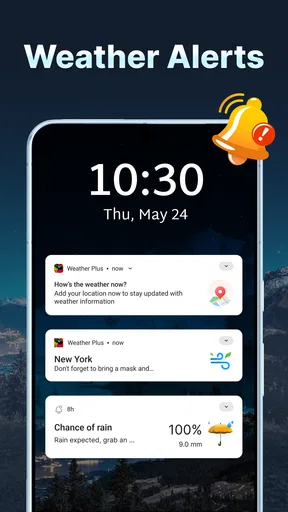
Yes, the app focuses on radar-based weather monitoring and may display precipitation movement, storm activity, and other changing conditions on an interactive map. Users can generally enable notifications for severe weather or important forecast changes, depending on their region and device settings. Alerts should be treated as helpful warnings rather than a replacement for official emergency notifications from local authorities.
Is Weather Today: Live Radar free to download and use?
Weather Today: Live Radar can typically be downloaded at no initial cost, but some features may depend on advertising, subscriptions, or in-app purchases. Premium access may remove advertisements or unlock additional forecast details, radar layers, widgets, or extended predictions. Before subscribing, check the store listing carefully for pricing, trial terms, renewal conditions, and which features are included in the free version.
What permissions does Weather Today: Live Radar require?
The application may request location access so it can automatically show weather conditions and forecasts for your current area. You can often choose approximate location access or enter a city manually if you prefer greater privacy. Notification permission may also be requested for weather warnings. Reviewing these permissions in your phone’s settings is recommended, especially if you do not need background location updates.
Can Weather Today: Live Radar be used without an internet connection?
The app generally needs an internet connection to download updated forecasts, radar imagery, alerts, and map data. Some recently viewed information may remain temporarily available through cached data, but it should not be considered a complete offline weather tool. For reliable results, open the app while connected to Wi-Fi or mobile data, particularly before traveling or during rapidly changing weather conditions.
